
If you are searching for Ayushman Card Apply Online 2025, the goal is usually simple: check your eligibility from home, complete eKYC, and then download your Ayushman card without running around offices. In most cases, “apply online” does not mean filling a brand new application form from scratch, it means verifying that your name already exists in the eligible beneficiary database and then generating the card after verification. This guide is written for people who want a clean, step by step method that actually works on the official flow, using the Ayushman App or the beneficiary portal. It is especially useful if you want to download Ayushman card using Aadhaar or Family ID, or if you are confused after seeing messages like “No beneficiary found.”
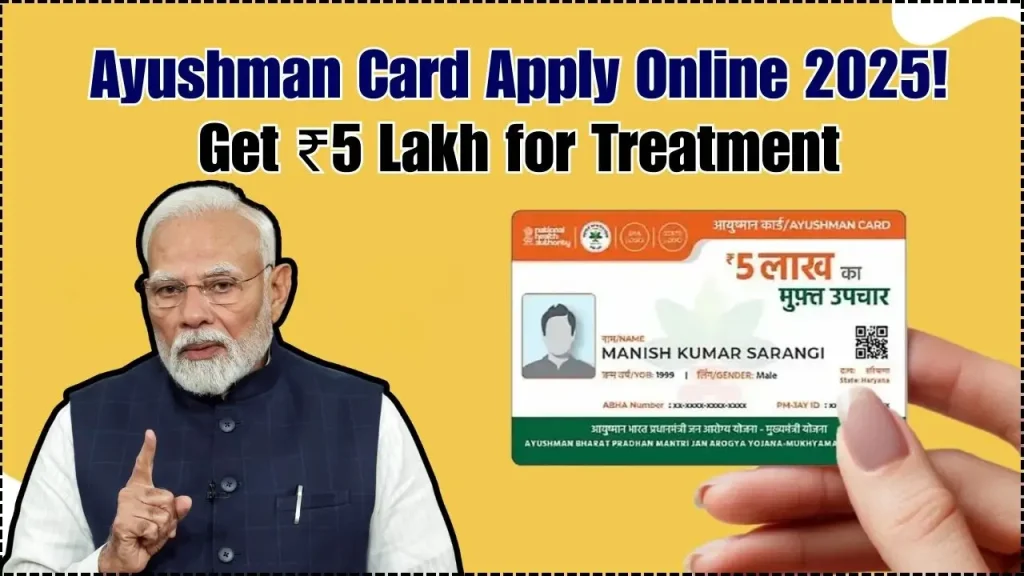
Ayushman Card Apply Online 2025 is easiest when you follow the correct sequence: login with mobile OTP, choose PMJAY, run an eligibility search, complete eKYC, then download or print the card. You can do this either on the Ayushman App or through the beneficiary portal, and both options rely on the same logic: your record must be present in the PMJAY beneficiary database to proceed. Once eKYC is successful, the download option typically appears inside the app after a short waiting time mentioned in the official guidance.
Ayushman Card Apply Online 2025
Guide From Official Headings
Before starting, keep two things in mind. First, Ayushman Card Apply Online 2025 will only work if your family or your details are found in the eligible beneficiary records during the search step. Second, most failures happen because of small input mistakes: wrong state or district selection, incorrect Aadhaar number entry, or trying eKYC when Aadhaar linked mobile is not active for OTP. If the goal is a smooth experience, use a single device, keep a stable internet connection, and complete the steps in one sitting. The biggest time saver is doing eligibility check properly the first time, because everything else depends on that result.
Ayushman App Related
The Ayushman App is positioned as a beneficiary friendly way to do self verification, eligibility search, eKYC, and card download from one place. Login is done using a mobile number and OTP, so use a phone number you can access right away. After login, the app guides you to choose the scheme and run an eligibility search using your ID option.
Step By Step Application Process For Ayushman Card Apply Online 2025
- Install the Ayushman App from the Play Store and open it.
- Accept the privacy policy, choose language, and go to the login screen.
- Select the role as Beneficiary, enter your mobile number, verify OTP, and complete captcha to log in.
- Allow GPS or location access if the app asks for it, as it is mentioned during the card creation flow.
How To Check Eligibility Criteria For Ayushman Card Apply Online 2025
- Select the scheme as PMJAY and choose your state.
- Choose “Search by” and select one option: Family ID, Aadhaar ID, or PMJAY ID.
- Fill in the details, select the district, enter captcha, and tap search.
- If the app shows “No beneficiary found,” the guidance explains it means the Aadhaar record was not found in the Ayushman database for that search.
How To Do eKYC In The App
- In the family list, tap the “do eKYC” option next to the relevant member.
- Choose the authentication method available to you, such as Aadhaar OTP, fingerprint, iris, or face authentication.
- For Aadhaar OTP, the guidance notes the OTP is sent to the mobile number registered with Aadhaar.
- Capture the photo, fill required details, and submit the eKYC request.
- The guidance also mentions a match score based flow, where a higher match score can lead to auto approval while lower scores may be forwarded for further verification.
How To Download The Ayushman Card
- After successful eKYC, the guidance suggests logging in again after 15 to 20 minutes to see the download option.
- Open the family member list and select “download Ayushman card” next to your name.
- Complete the authentication step and then use the download, print, or share options.
- The guidance clearly states there is no fee charged to the beneficiary for the Ayushman card.
If your aim is Ayushman Card Apply Online 2025 from a mobile, the app route is usually the fastest because eligibility, eKYC, and download are handled inside one interface.
Beneficiary Portal Related
If the app feels confusing, the beneficiary portal is the second reliable path for Ayushman Card Apply Online 2025, especially when you want to check details on a bigger screen. The portal login uses the same OTP based flow: mobile number, OTP, captcha, then access to eligibility search. It is also useful for people who want to run eligibility checks for multiple family members in one go.
Portal Login Steps
- Open the beneficiary portal and select the role as Beneficiary.
- Enter your mobile number, verify it, and then enter the 6 digit OTP and captcha to log in.
- After login, proceed to the search screen and choose PMJAY as the scheme.
Eligibility Search On Portal
- Choose the scheme as PMJAY and select your state.
- Select “Search by” and use Family ID, Aadhaar ID, or PMJAY ID.
- Select district, enter captcha, and run the search.
Duplicate Card And Re Download
- The guidance notes that if the card is already created and you need it again, you can download it again from the beneficiary portal. There is also a self print option page under the PMJAY BIS system that shows a self print card function.
- For many users, a good strategy is to do eligibility checking on the portal first, then complete eKYC and download using the app if that feels easier.
Other Queries Related To Ayushman Bharat PM JAY
The most common question is eligibility: who can actually get the card. Official scheme information explains PMJAY is meant for poor and vulnerable families, and eligibility has been based on targeted beneficiary identification. The FAQ style guidance also frames PMJAY as entitlement based, meaning eligibility depends on whether the person is listed in the eligible beneficiary database used by the state or UT.
Common Practical Issues And Fixes
- Aadhaar OTP not coming often points to Aadhaar linked mobile issues, and the guidance mentions Aadhaar helpline 1947 in that context.
- “No beneficiary found” usually means the record is not present for the details used in the search, so you should recheck state, district, ID number, and spelling if any name based filters appear.
- If eKYC does not auto approve, the guidance describes a score based flow where cases can be forwarded for verification, so instant download is not always possible.
Why 2025 Is A High Interest Year
- Scheme scale keeps growing, and that is one reason more people search Ayushman Card Apply Online 2025 now. A March 2025 public update reported more than 8.9 crore hospital admissions authorized under Ayushman Bharat. A separate public reply stated that 36.9 crore Ayushman cards had been created as of 24 March 2025.
- These numbers matter for users because higher adoption usually means more hospitals, more help desks, and more awareness, but it also means you should stick to official portals to avoid scams.
Benefits, Enrolment And Portability Related to Ayushman Card 2025
The biggest benefit under PMJAY is health cover up to ₹5 lakh per family per year for secondary and tertiary hospitalization. The official scheme description also notes there is no cap on family size and age, and that pre existing diseases are covered from day one. This is exactly why Ayushman Card Apply Online 2025 is not only about downloading a card, it is about unlocking access to cashless treatment at empanelled hospitals.
What Is Included in the Treatment Package
The official FAQ style document lists components such as medical examination, consultation, diagnostics, medicines and consumables, ICU and non ICU care, accommodation, food services, complications, and post hospitalization follow up care for 15 days after discharge. In real life, coverage depends on the package and hospital process, so always confirm at the PMJAY help desk in the hospital before admission. To find hospitals, the guidance points users to the official hospital search page.
PMFBY Status Check 2025: How Farmers Can Track Crop Insurance Claims Online
What Portability Means
Portability is described as the ability to take paperless and cashless benefit even outside your home state at empanelled hospitals. This is especially helpful for families that travel for work, students living away from home, or anyone needing treatment in another city. For help during the process, the national helpline number 14555 is provided in official scheme information. If your intent is “download Ayushman card fast,” focus on completing eKYC first, because the download step depends on it.