
Waiting after submitting your SIR form can feel frustrating, especially when you’re not sure whether your details have actually been uploaded or are still stuck at the local level. The good news is that checking progress online is genuinely quick if you know the right screen to open and what the result on the portal actually means. In this guide, you’ll learn how to do an SIR Form Status Check in minutes using your EPIC number, what submitted really indicates, what to do if the form opens again, and how to reach your BLO directly from the portal if needed.
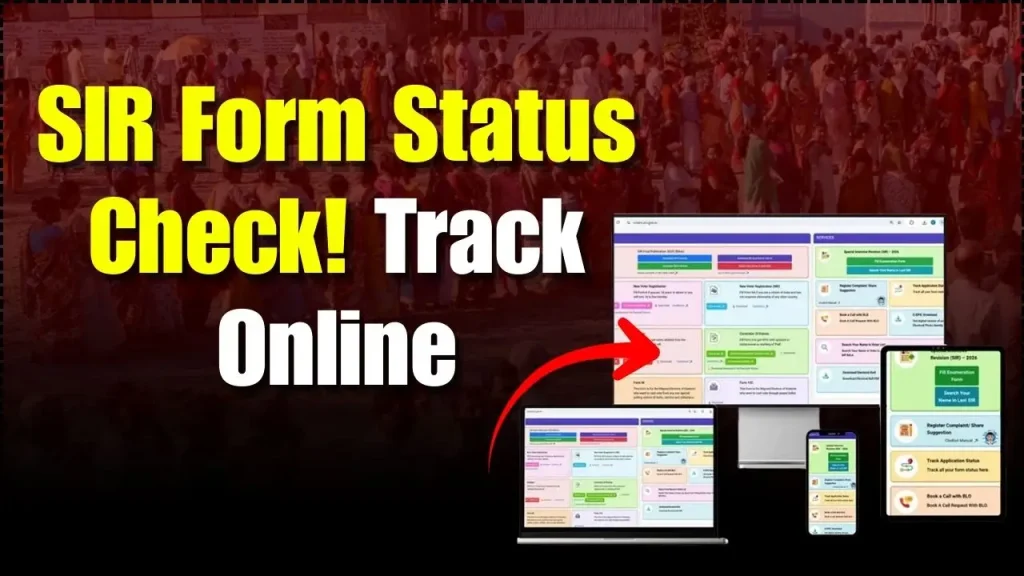
An SIR Form Status Check is a simple online way to confirm whether your SIR (Special Intensive Revision) enumeration form details have been uploaded on the Election Commission’s voter services system. In most cases, the portal won’t show a fancy tracking timeline like parcel apps. Instead, it gives a clear signal through what it displays after you search with your EPIC (Voter ID) number. If you’re doing a SIR Form Status Check for the first time, don’t worry once you understand the two main outcomes (already submitted message vs form opening), it becomes very straightforward.
SIR Form Status Check
| Point | Details |
|---|---|
| Official website | voters.eci.gov.in |
| What you can check | Whether your SIR enumeration form is uploaded/submitted online |
| What you need | State selection + EPIC (Voter ID) number |
| Primary menu option used | Fill Enumeration Form (after login) |
| If status shows “submitted” | Upload is already done; portal indicates the form is already submitted and suggests contacting BLO for details |
| If the form opens again | Typically means details are not uploaded yet (or not reflecting yet) |
| Support option on portal | Book A Call With BLO (after login and EPIC verification) |
| Time required | Usually a few minutes if OTP and EPIC details are ready |
Steps To Check Your Sir Form Status Online on ECI Voters Portal
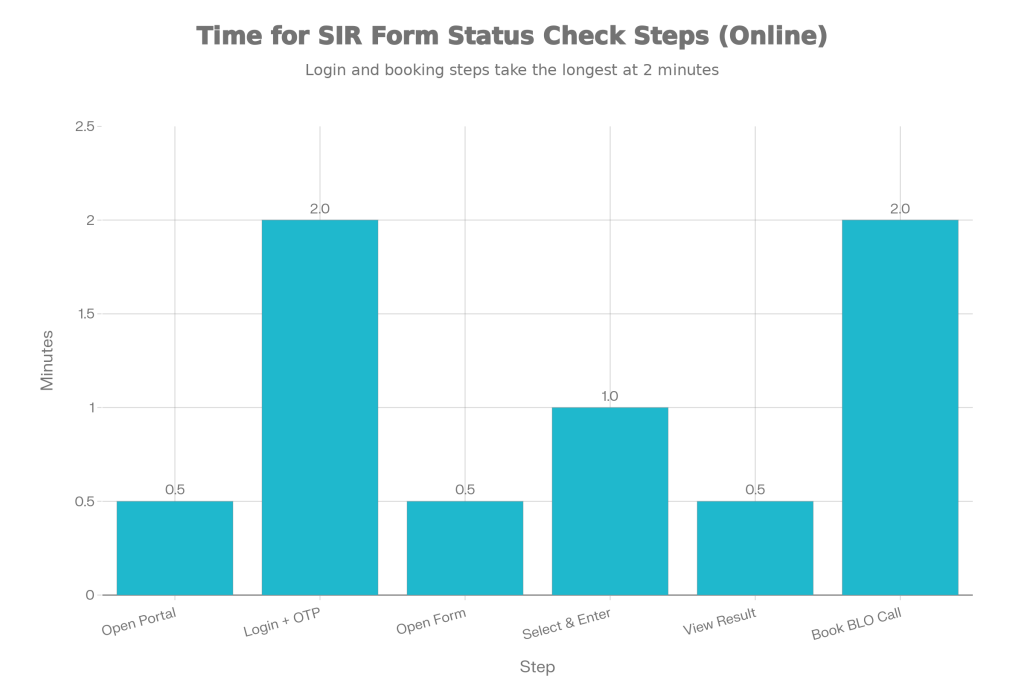
If your goal is a fast SIR Form Status Check, follow this exact flow. Keep your EPIC number ready before you start.
- Open the official voter services portal: voters.eci.gov.in
- Tap/click Login and complete OTP verification (first-time users may need to sign up)
- After logging in, look for and select Fill Enumeration Form
- Choose your State
- Enter your EPIC number and search
- Check what appears on screen (this is your status result)
This is the most direct path because the “Fill Enumeration Form” area is where the system reflects whether your details are already present or still pending upload.
How To Understand the Result
This is where most people get confused, so let’s simplify it.
What It Means If You See “Already Submitted”
If the portal shows a message that your form has already been submitted (and it typically suggests contacting the BLO for more details), that’s a strong sign your data has been uploaded, and your submission is already recorded online.
In practical terms, it means:
- Your BLO has uploaded the enumeration details, and
- The system is acknowledging your submission
What It Means If the Form Opens Again
If you don’t get a “submitted” confirmation and instead the portal opens an enumeration form (often blank or like a fresh form flow), it generally indicates that the data is not uploaded yet or not visible in the system at that moment.
This does not automatically mean your offline submission is rejected. It usually means one of these is true:
- Upload is still pending from the BLO side
- Upload is done but not reflecting yet
- There’s a mismatch or incomplete linking of your record (less common, but possible)
A smart move is to wait a bit and repeat the SIR Form Status Check, or directly use the BLO contact option on the portal.
How To Book A Call with BLO
If your SIR Form Status Check is stuck, unclear, or you simply want confirmation from the official handling your area, the portal provides a “Book a Call with BLO” option.
Here’s how it generally works:
- Go to the portal and log in
- Choose Book A Call With BLO
- Enter your EPIC number
- Verify using OTP (based on the mobile number linked/required by the flow)
- Submit the request so the BLO can connect with you
This is useful for situations like:
- Your form was submitted offline but not showing online
- You keep seeing the form open again
- You’re unsure whether corrections are needed
- You want clarity on the next steps
Common Problems and Quick Fixes With SIR Form Status Check
EPIC Number Not Found
- Double-check the EPIC number (even one wrong character breaks the search).
- Ensure you selected the correct state.
OTP Not Coming
- Check network and SMS inbox.
- Retry after a few minutes.
- Make sure your phone can receive SMS and isn’t blocking service messages.
Status Not Changing
If you repeatedly do a SIR Form Status Check and see no confirmation message:
- Give it a little time and try again later.
- Use the BLO call option for the fastest clarity.
Form Opens Every Time
This usually indicates pending upload. If you already submitted offline, the BLO is the right person to confirm upload timing and whether any detail needs correction.
Bihar Atal Gramin Jan Kalyan Yojana 2025 – What Benefits Rural Families Can Get Under This Scheme
Best Tips for Faster Sir Form Status Check
- Keep your EPIC number saved correctly (notes app or screenshot).
- Always select the correct state first.
- Do the status check during normal working hours if you plan to call the BLO after.
- If you submitted the form today, don’t panic if it doesn’t reflect immediately uploads can take time depending on field workload.
FAQs on SIR Form Status Check
1. How Many Times Should I Do Sir Form Status Check?
You can do a SIR Form Status Check anytime. If you submitted offline recently, checking once after a short gap and again later is reasonable especially if the upload depends on the BLO’s schedule.
2. What Does “Already Submit” Mean in Sir Status?
It typically means your SIR enumeration details are already recorded on the portal, and the system is confirming that the form is submitted in the database.
3. Why Does the Portal Open the Form Instead of Showing Submitted?
In many cases, it indicates the details have not been uploaded yet or are not reflecting currently. If you submitted offline, it often means upload is pending at the BLO level.
4. Can I Contact BLO From the Portal?
Yes, the portal includes a “Book a Call with BLO” option after login, which is meant to help electors connect with the responsible official.